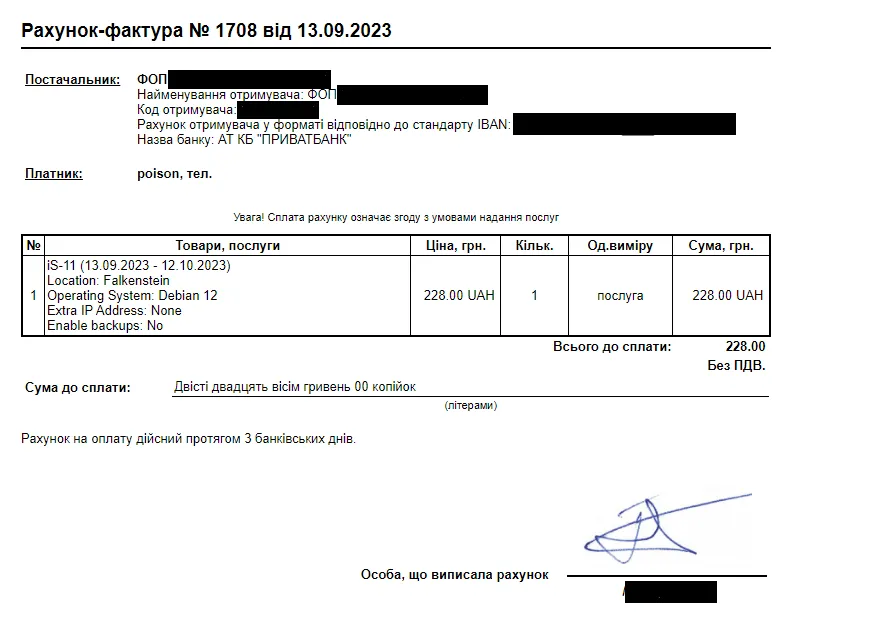
Paying by bank invoice
Pay by bank transfer: where to generate the invoice, what to put in the payment reference, and how long it takes to clear.
- Log in to your account on the https://insave.hosting website
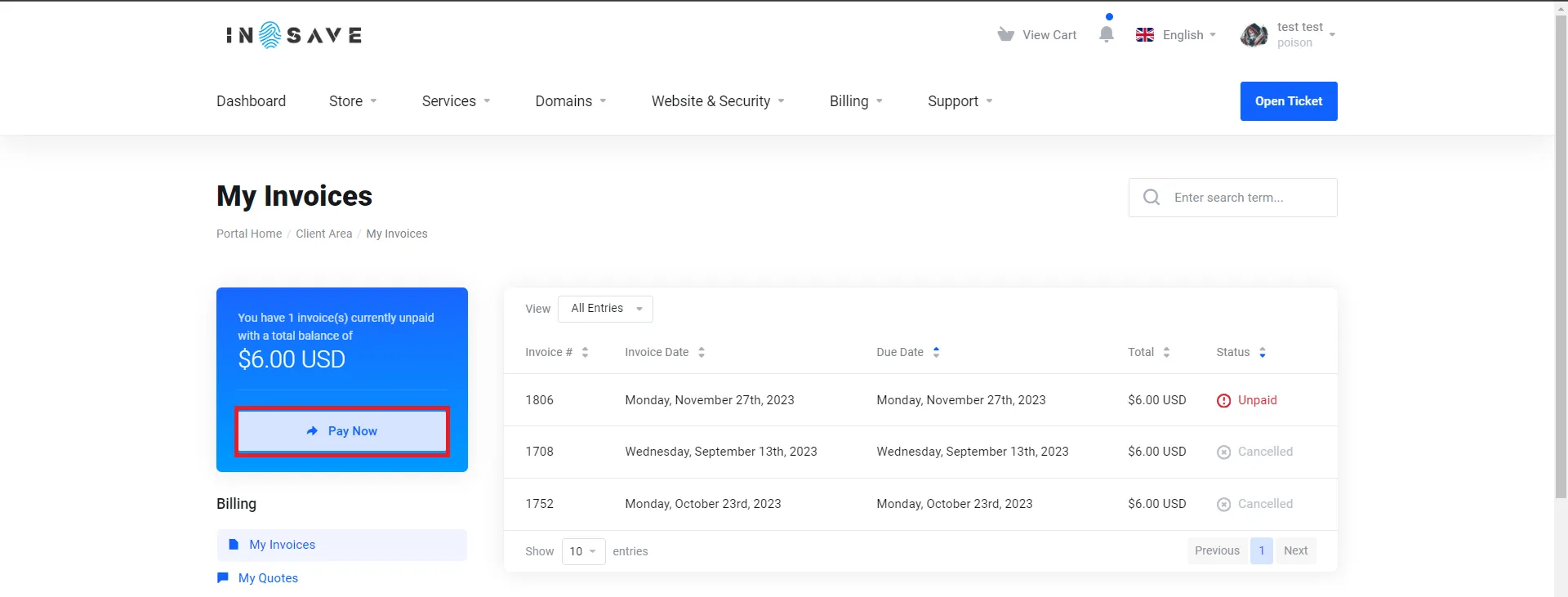
- Select the Unpaid Invoices tab.
- Click on the Pay button on the left.
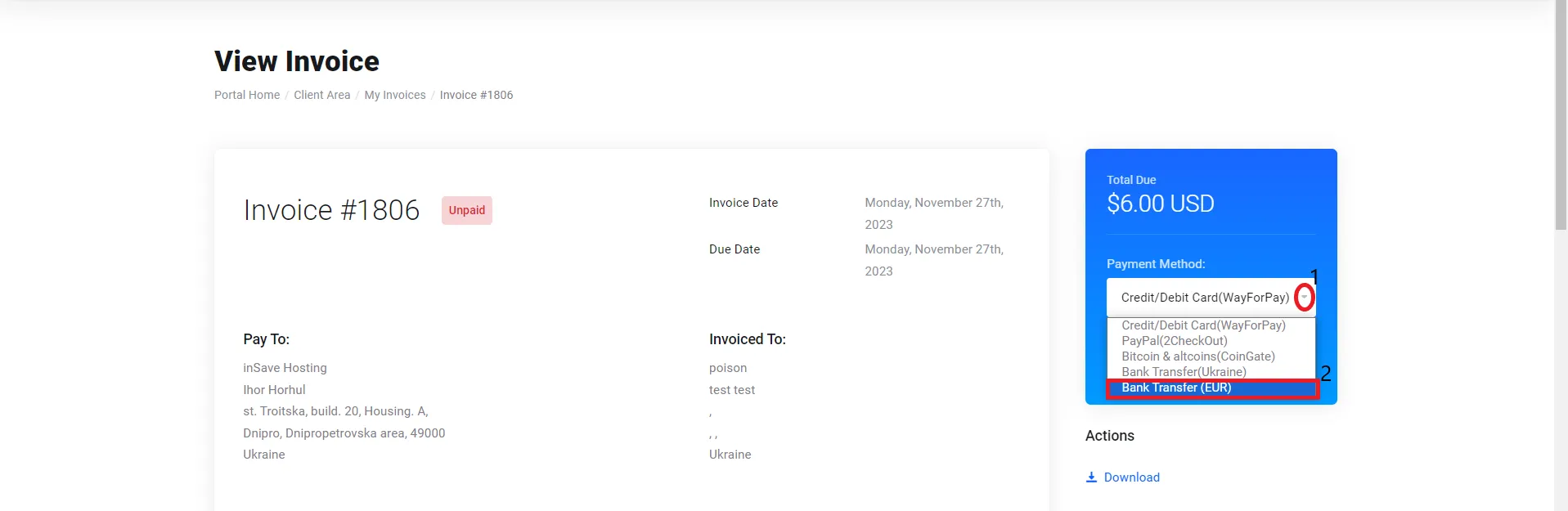
- On the right, choose the Bank Transfer payment method and click Pay now
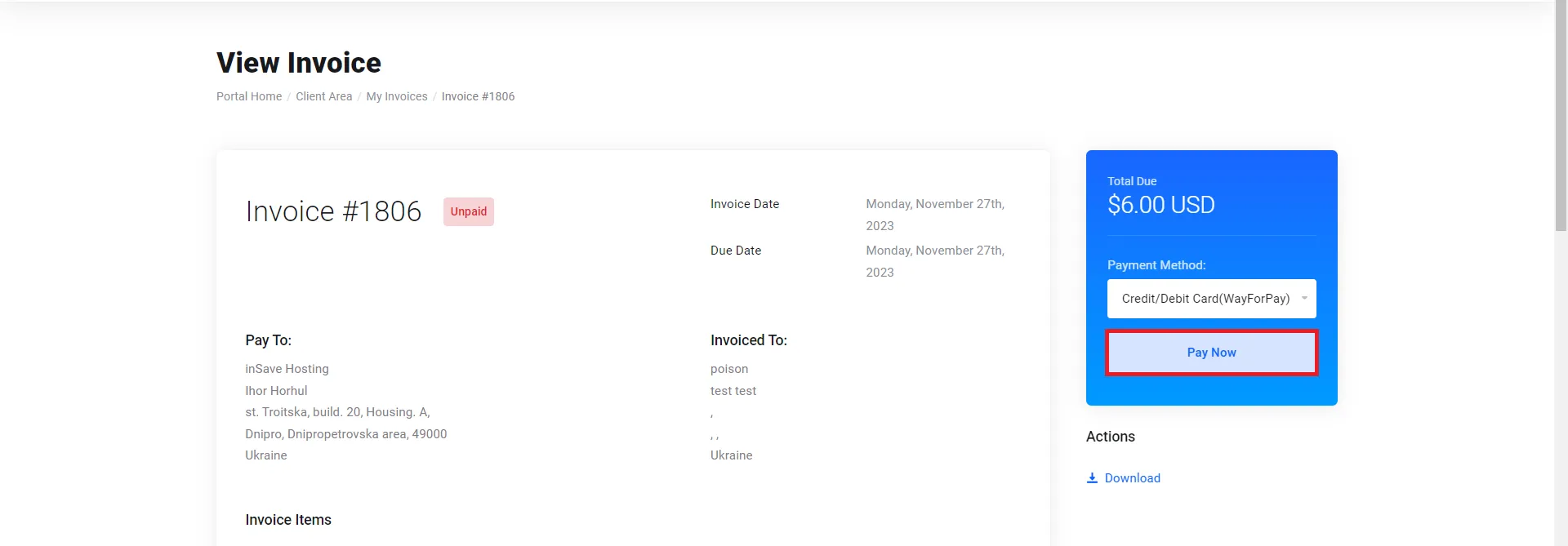
- A receipt will be displayed for you, which you can print or use to make the payment at the bank using the invoice number.