How to add a WordPress site in FastPanel
Create a WordPress site in FastPanel on your own VPS: bind the domain, choose PHP and the database, then schedule backups.
Once FastPanel is on your VPS (installing it takes a few minutes), a WordPress site is one wizard away: the panel creates the site and its database together.
Step 1: Log in to FastPanel
Log in as the fastuser account or another user you created.
Step 2: Click Create site

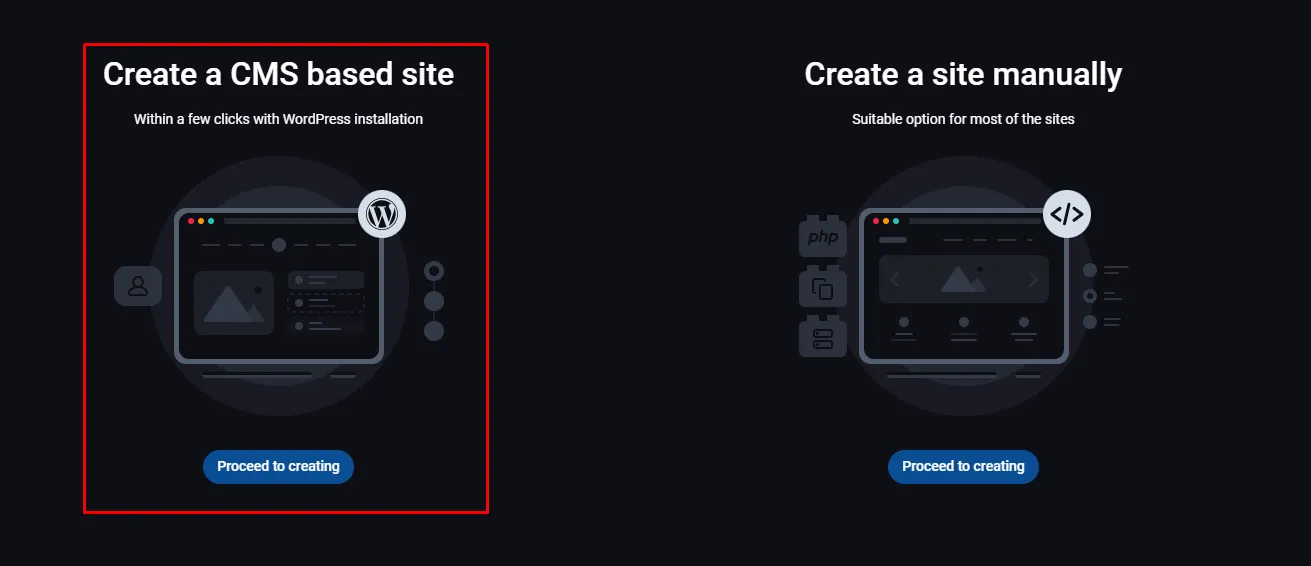
Step 3: Choose a CMS based site
FastPanel offers Create a site manually — an empty site — or Create a CMS based site. Choose the second.
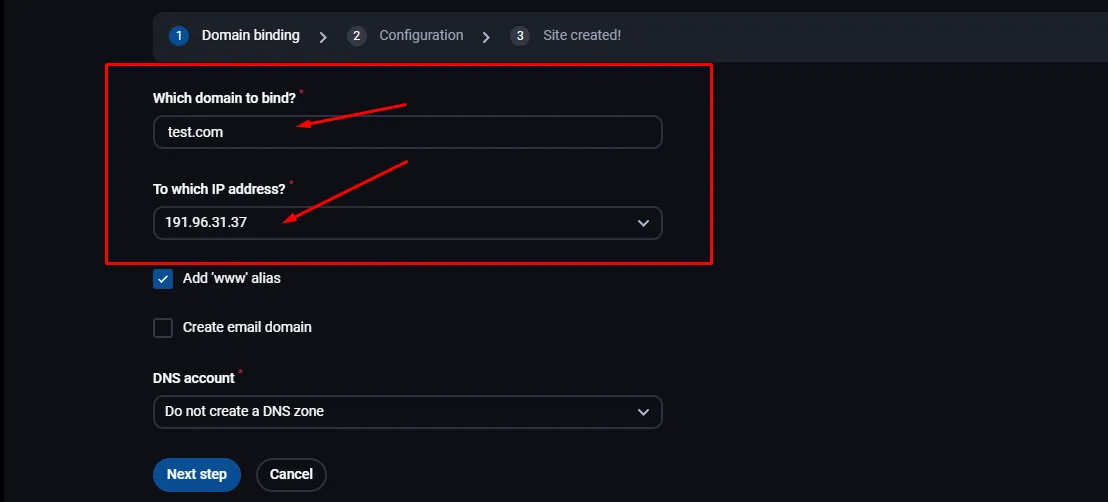
Step 4: Bind the domain
Enter the domain in Which domain to bind? and choose the server’s address in To which IP address?.
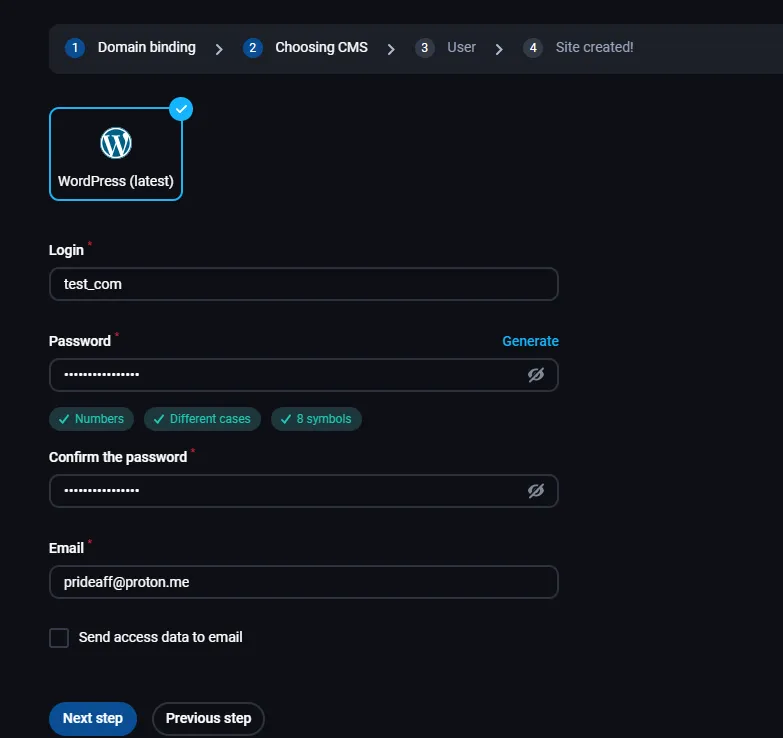
Step 5: Adjust the configuration
Change the settings the wizard offers to suit the site.
Step 6: Check PHP and the database
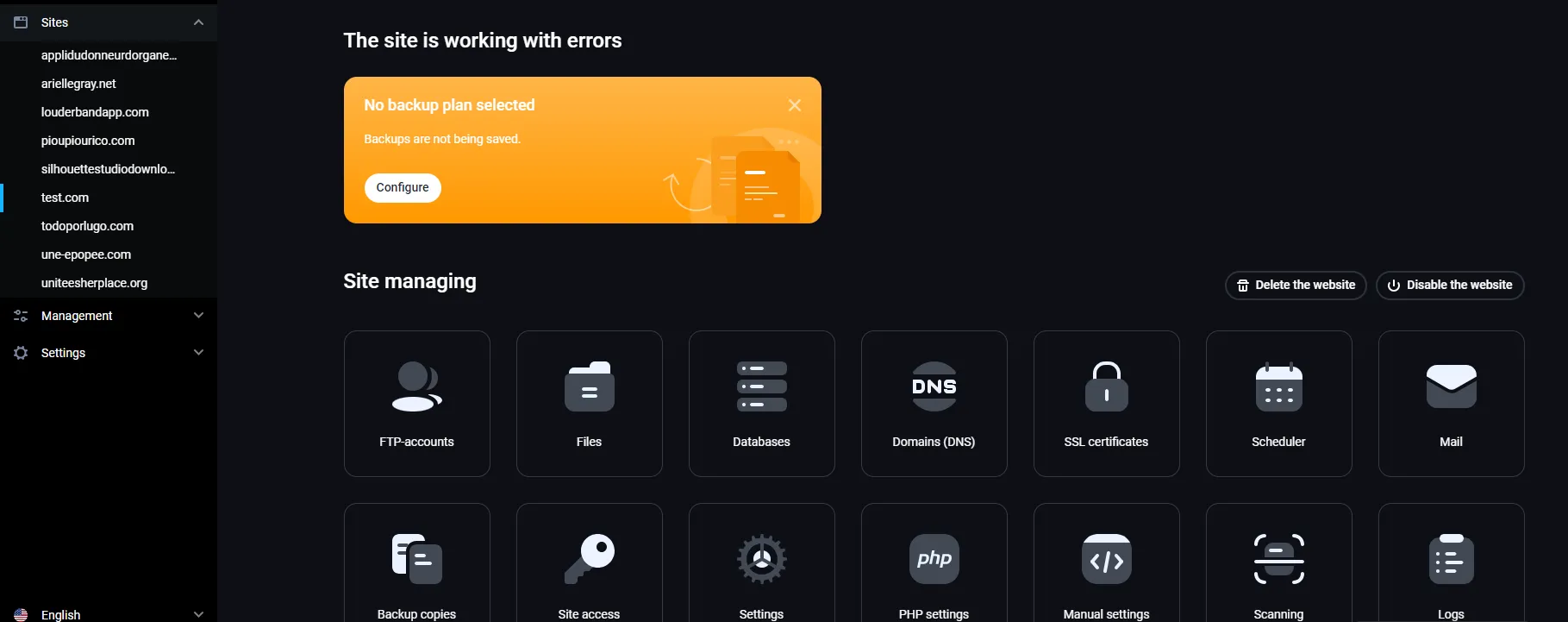
Open the site in the Sites tab on the left.
- Change the PHP mode and version if you need to. Use the latest PHP version your CMS supports.
- Set up the database: create a database and a database user for the site, or choose existing ones, and set the encoding. A site that needs no database can skip this.
When everything is set, click Create site.
Step 7: Schedule backups
Go to Management and choose Backup copies.
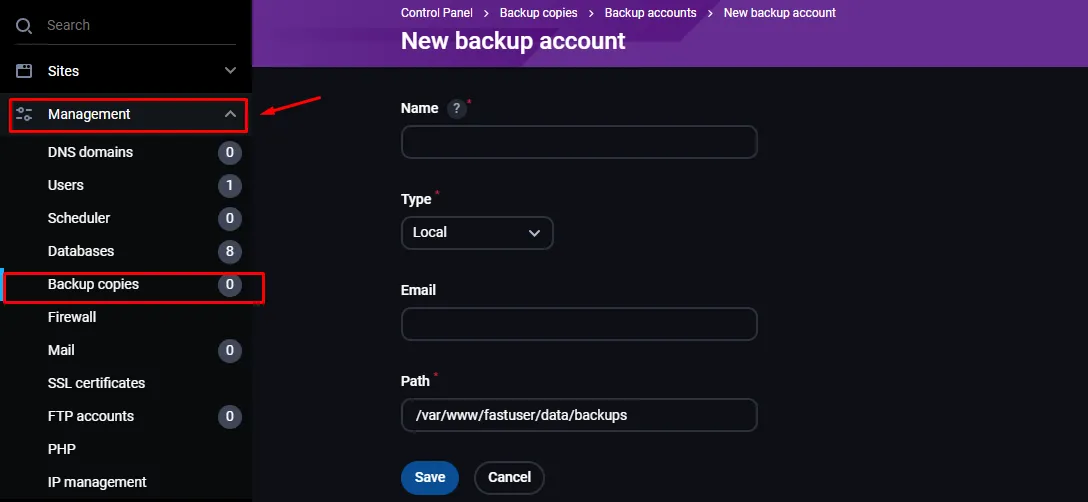
Choose the type of backup:
- Local: enter a name, an email address for reports and the directory on the server where copies are kept.
- FTP: enter the FTP server’s IP address in Host, the FTP username and password, and a name and email address for reports.
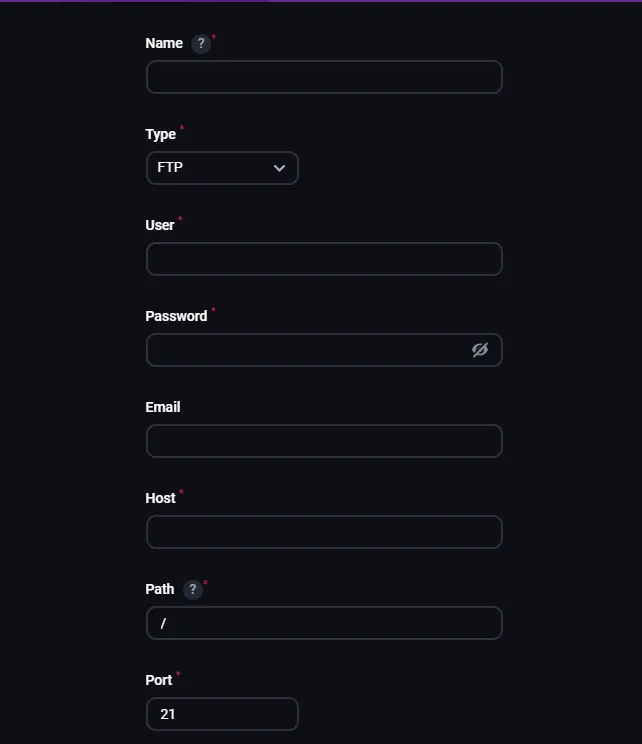
Click Save.